Channels
Channels allow a single event to have multiple distribution channels.
Instead of creating separate events for different audiences, you create one event with multiple channels.
Example:
- Event: Festival
- Channels:
- Standard
- Volunteer
- Leaders
Each channel has its own event code, allowing attendees to join the correct channel while sharing the same event data.
Benefits
- One event instead of multiple copies
- Shared resources between channels
- Separate event codes
- Targeted content and notifications
Creating a Channel
- Open your event.
- Navigate to Event in the sidebar.
- Create a new channel.
- Assign an Event Name
Each channel can later be connected to one or more Channel Groups.
Channel Details
Use this page to configure the channel
Fields
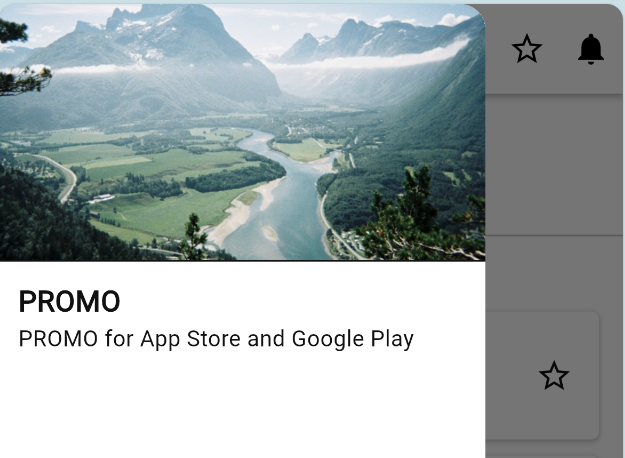
- Channel name: Title of your Channel.
- Description: Short optional text about the event.
- Channel Image: Pick an image from the dropdown or upload a new one.
All these are displayed in the top of the sidebar
Dates
- Use the calendar to set the start and end dates.
- These can not be changed after the channel is purchased
App Sections
Toggle which sections are available in the app:
- Program
- Map
- Info
- FAQ
- Contact
- Signup
This can be changed anytime even after the channel is purchased/public
*minimum 2 pages must be enabled
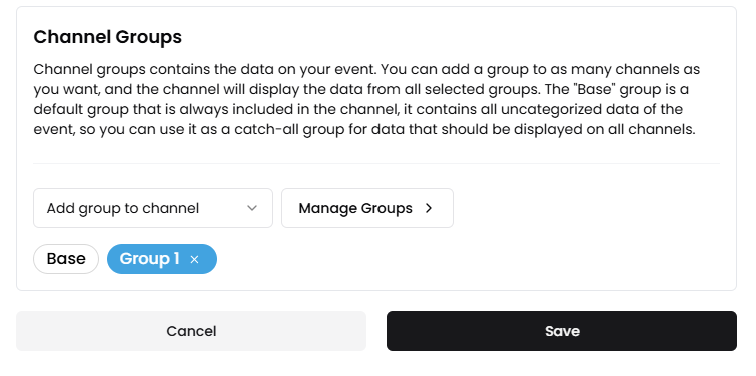
Channel Groups
Add channel group content to this channel
Shared Content
Channels share content through Channel Groups.
see Channels structure for details
By default, every channel includes the Base group, meaning content assigned to Base is available everywhere.
Additional Channel Groups can be assigned to specific channels to provide channel-specific content.
See Channel Groups for details.
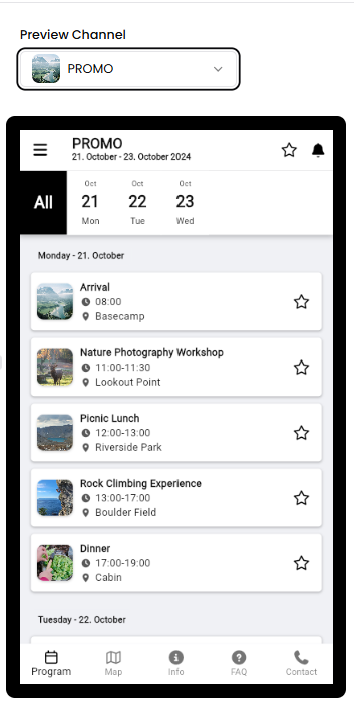
Preview
The Preview allows you to switch between channels and verify exactly what users in each channel will see.
Toggle event status
You can hide or show the channel by using this status toggle
If the event is not yet purchased the button will take you to the payment page